Mergio
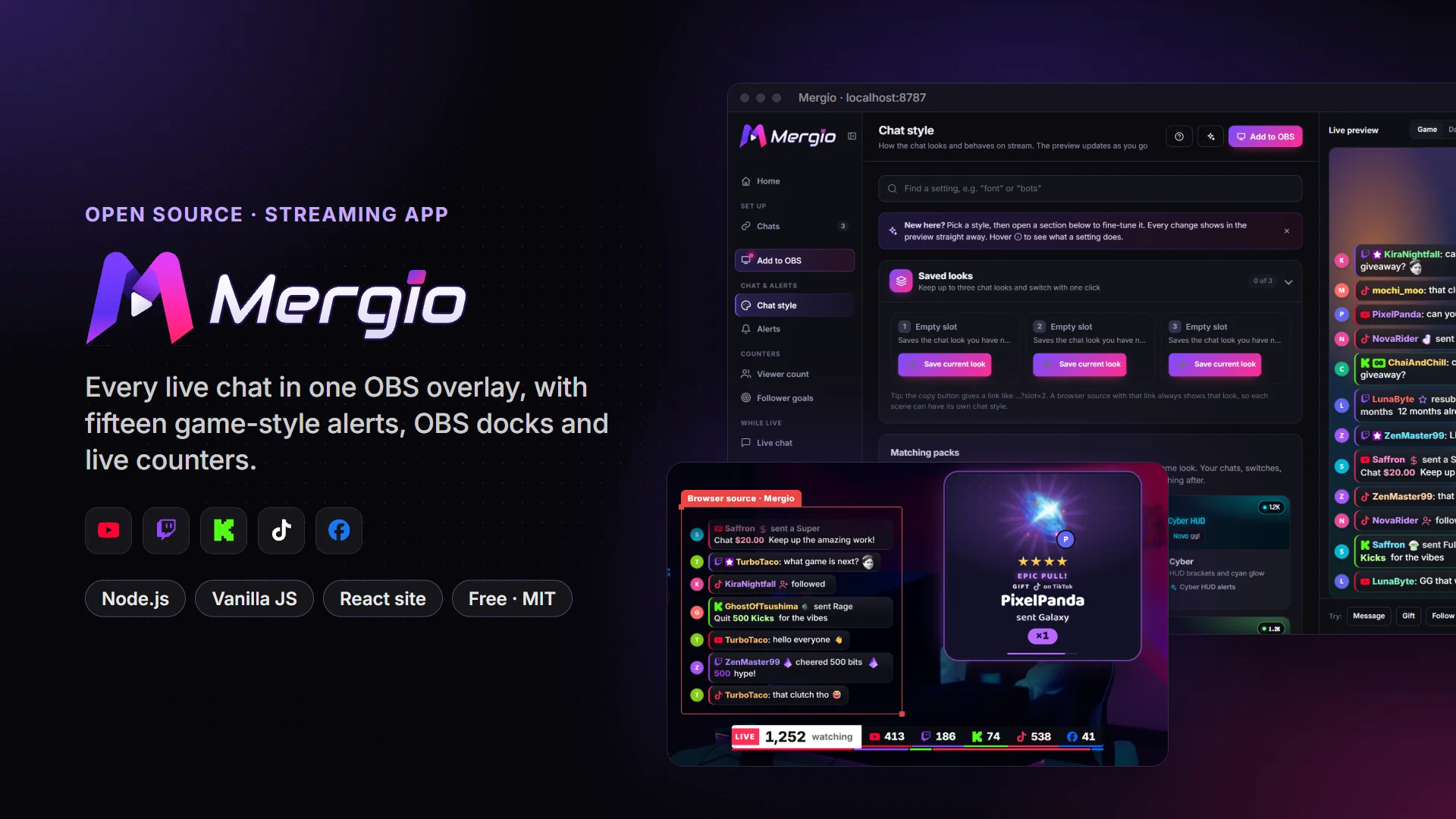
Every live chat in one OBS overlay. YouTube, Twitch, Kick, TikTok and Facebook chat, fifteen game-style alerts, OBS docks, viewer counts and follower goals, from a free app that runs on your own PC. It posts a live card to Discord the moment you go live, and an Android app with a Go live button brings the chat to your phone and puts your live picture on WhatsApp status in one tap.
- Role
- Platform
- Type
- Desktop app, OBS browser sources, Android app
- Stack
- Version
- Licence
01Overview
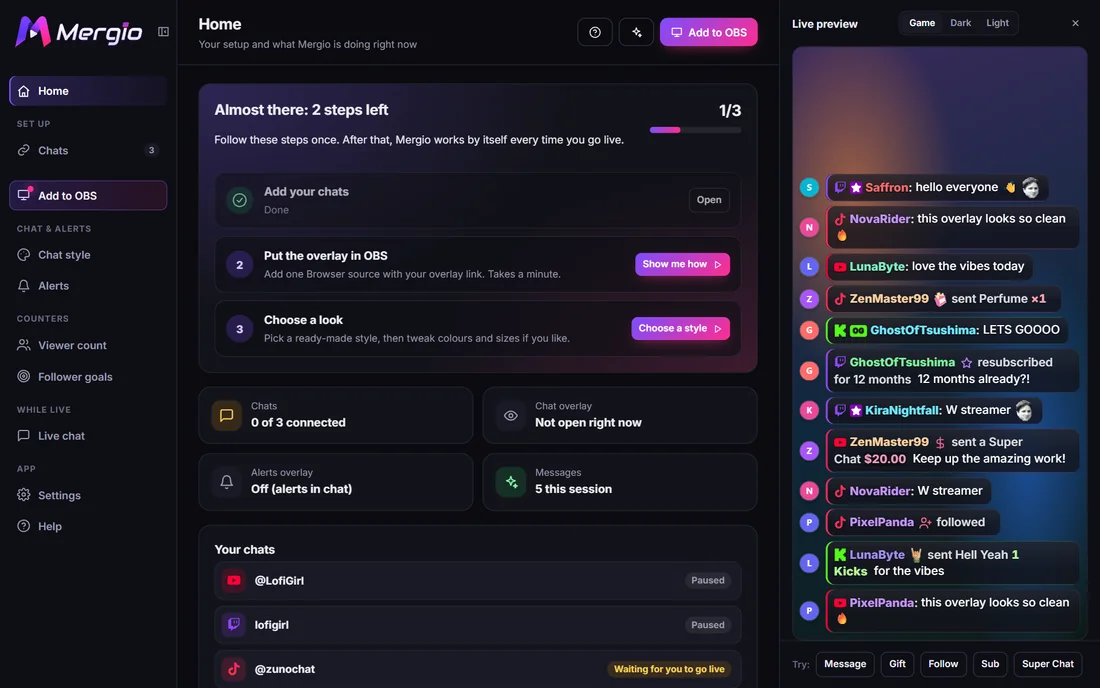
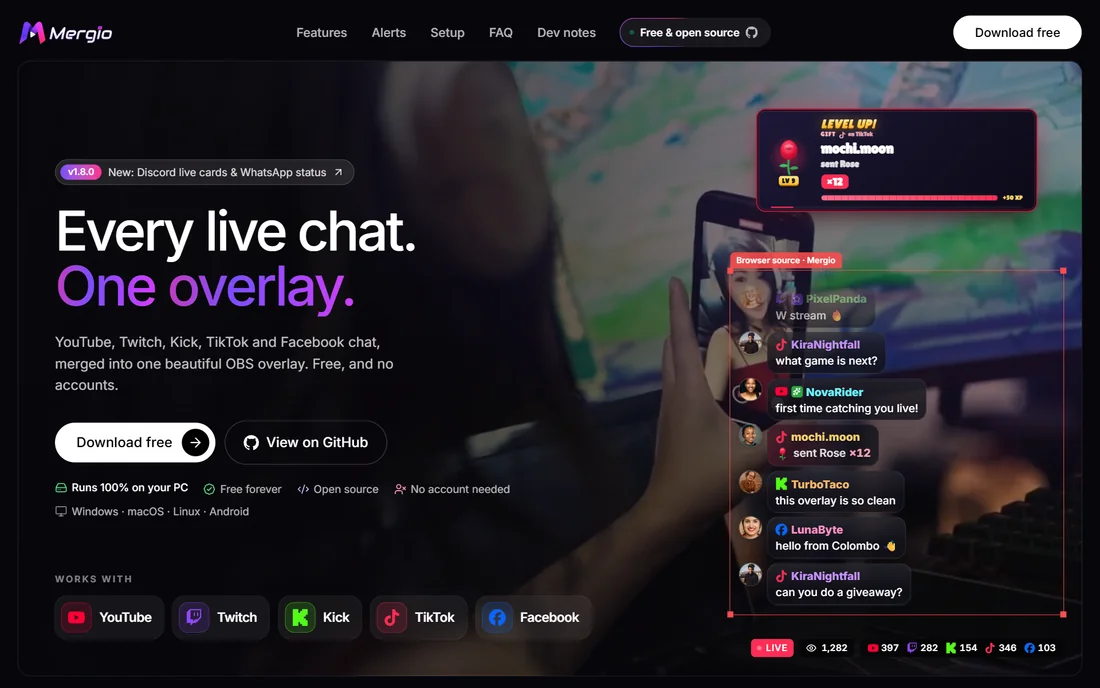
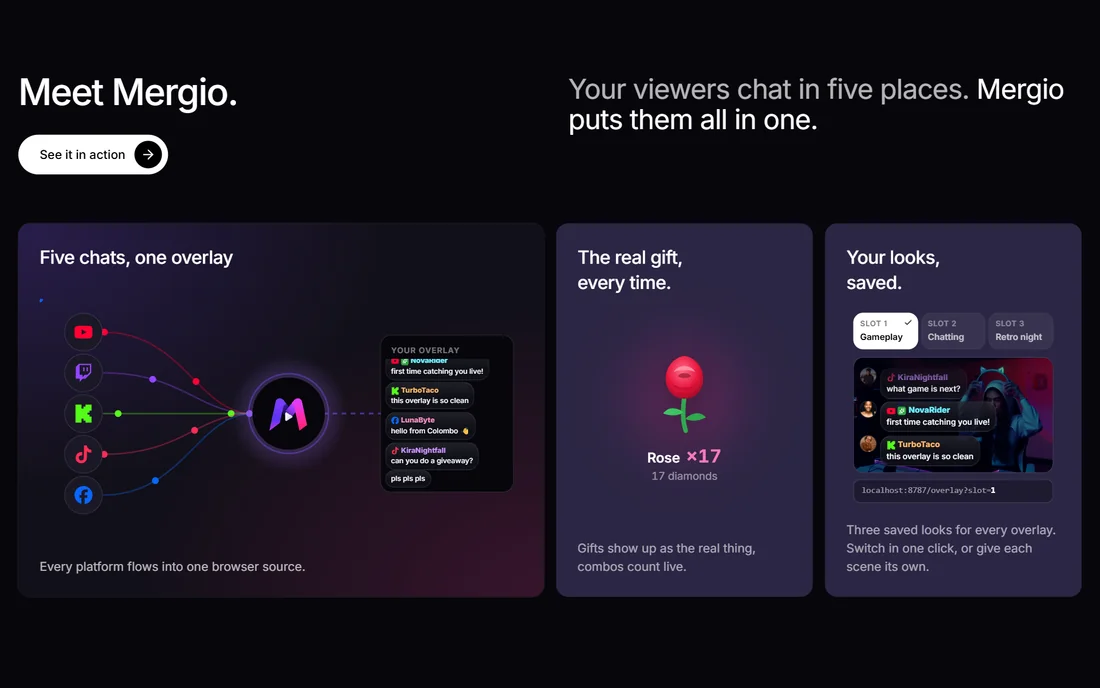
Plenty of streamers go live on several platforms at once, and then spend the whole stream juggling five chat windows. Mergio pulls the live chat from YouTube, Twitch, Kick, TikTok and Facebook into one overlay that drops into OBS as a single browser source, so every viewer shows up in the same place, in the same style, on stream.
It grew into a full toolkit for multistreaming: an alerts overlay with fifteen game-style looks where bigger gifts get a rarer tier and their own sound, a voice that can read Super Chats and Bits aloud, a viewer count that adds up everyone watching on every platform, follower goals, and three docks that put the chat, gifts and viewers inside OBS itself. Every overlay can keep three saved looks, and ten matching packs restyle everything at once.
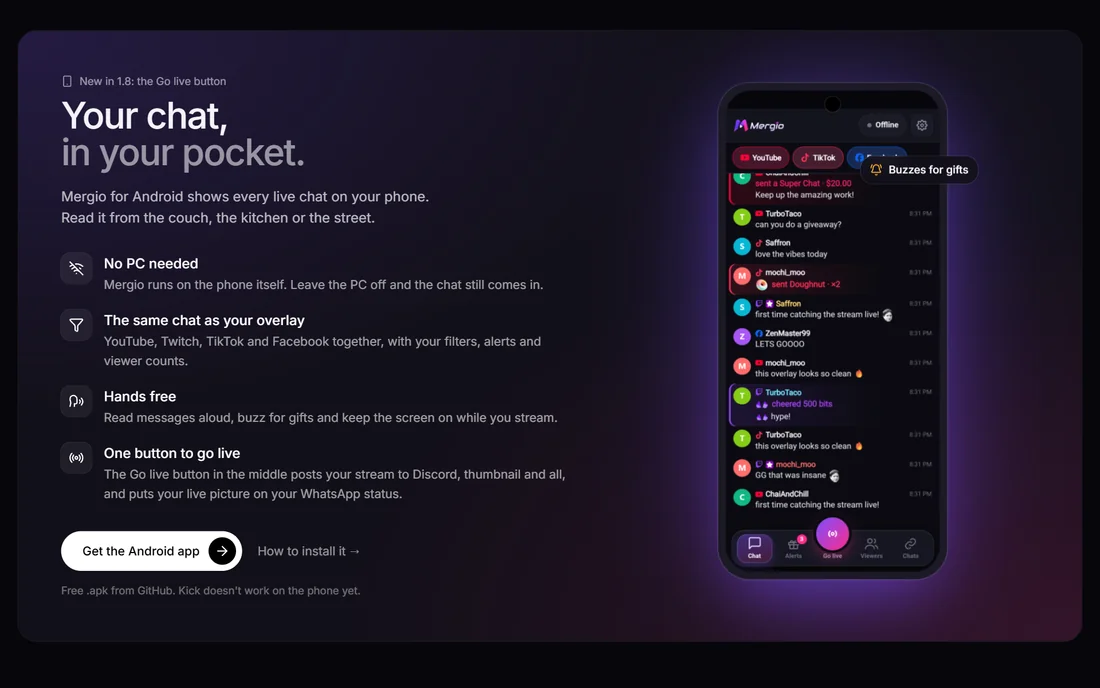
Version 1.7.1 took it off the desk. The Android app runs Mergio itself on the phone, with Node.js built into the app, so a streamer can read every live chat from the couch or the street with the PC switched off.
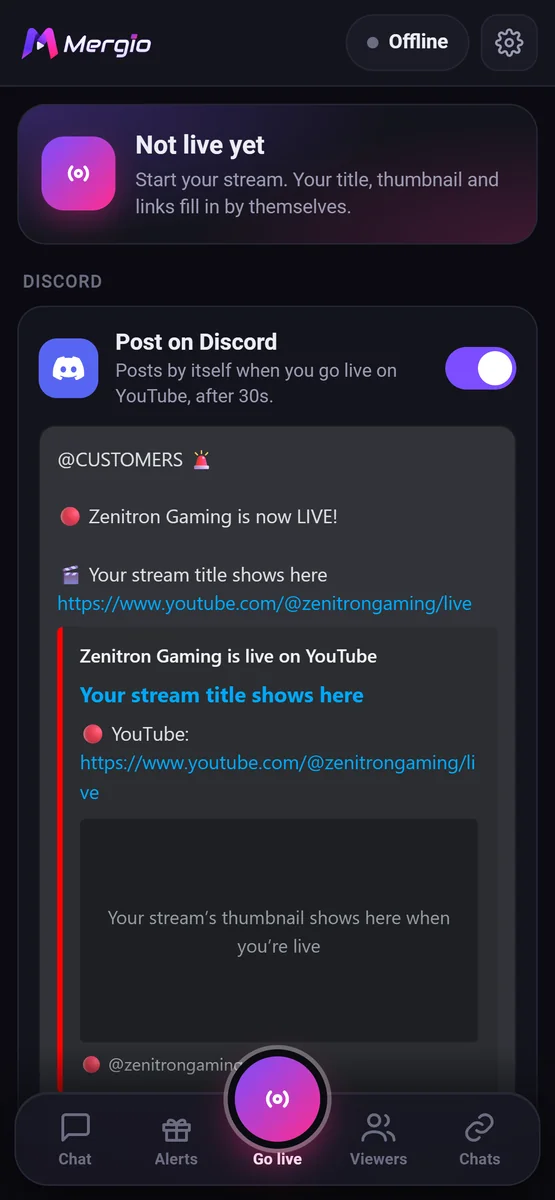
Version 1.8.0 tells everyone the stream has started. The streamer’s own Discord bot posts the stream’s own link with a live card (its thumbnail, the title, every stream link and the channel names) in the channels they pick by name, ID or link, once per stream. On the phone, a round Go live button in a new floating bottom bar opens the Discord post and a status picture that goes on WhatsApp status in one tap.
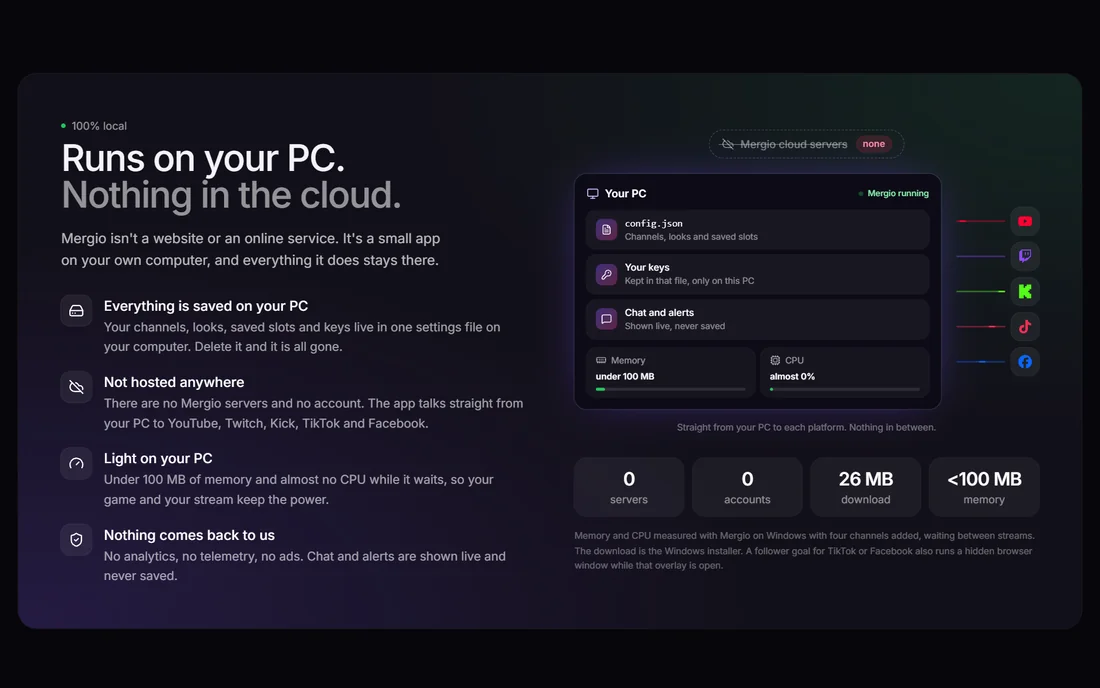
It’s one small app with no account, no cloud and no subscription. It runs on your own computer, keeps every setting in one file there, connects straight to each platform and updates itself. I designed and built all of it, from the overlays and the control panel to the installers, the release pipeline and the website.
Five chats, five windows
Multistreaming splits your audience. Each platform has its own chat, and none of them show the others, so viewers on smaller platforms get missed and the stream only shows one chat.
Every platform speaks differently
YouTube, Twitch, Kick, TikTok and Facebook each deliver chat in their own way, with their own emotes, badges, gifts and limits. Most of them can be read without logging in, but each one needs its own connection.
It has to look good on stream
An overlay is part of the show. It needs to be transparent, readable over any game, quick to restyle, and work inside OBS’s own browser without anyone touching code.
A local server that holds your keys
An app that serves overlays from your PC and keeps platform tokens is a target. Any website you visit could try to talk to it, so it had to be safe by design, not as an afterthought.
02Key Features
Every chat in one overlay
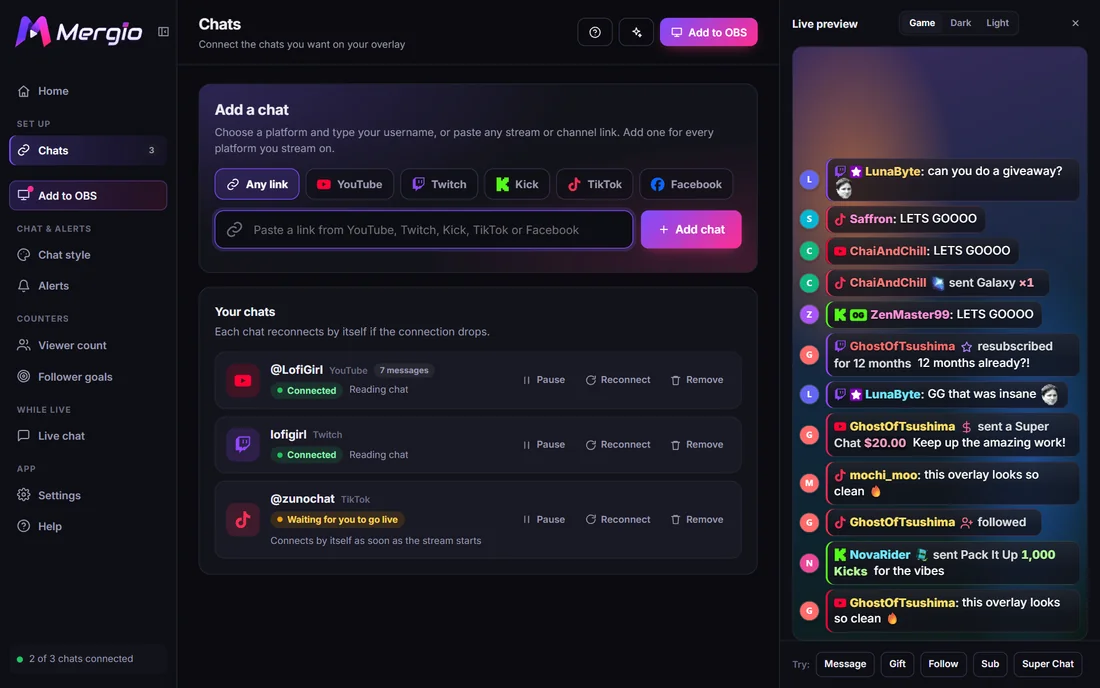
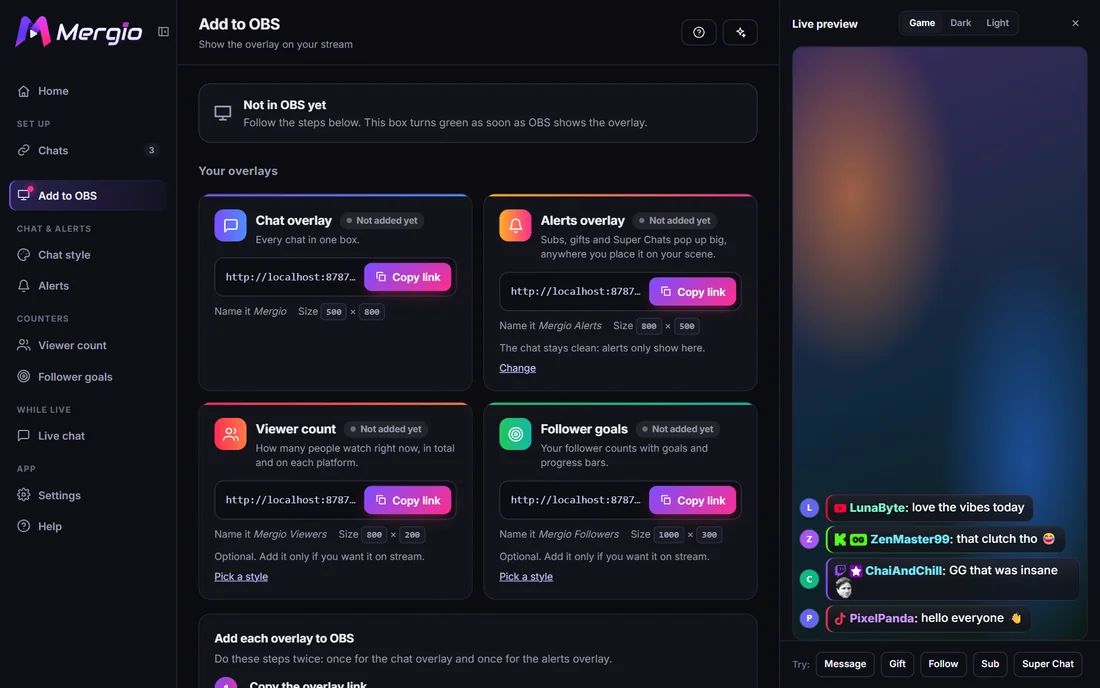
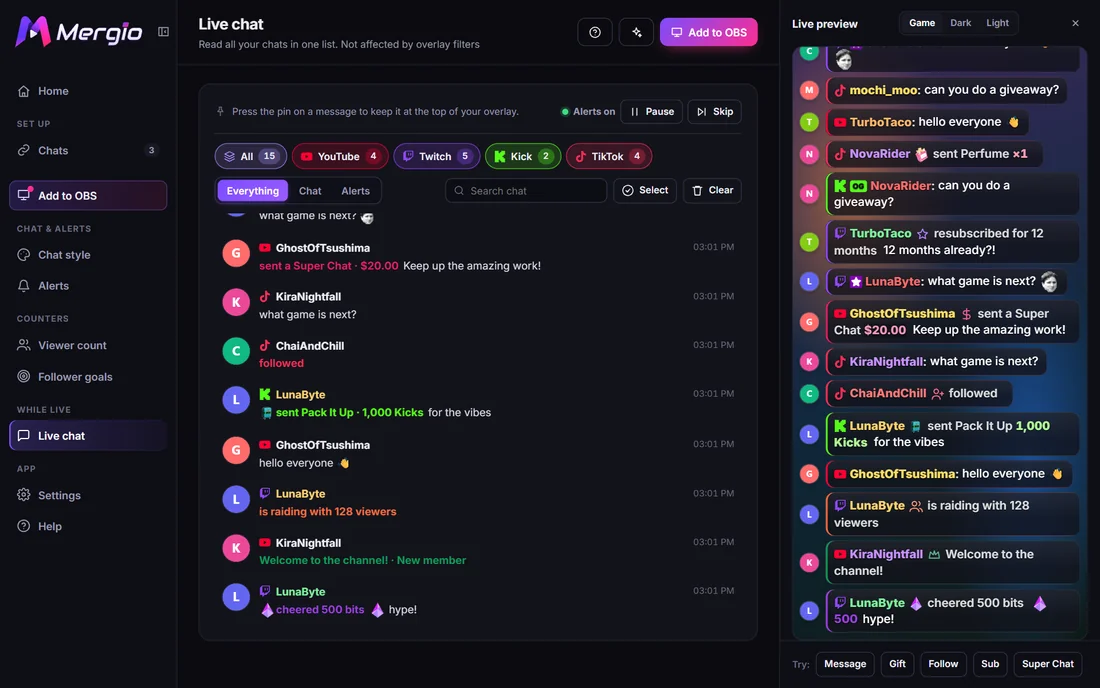
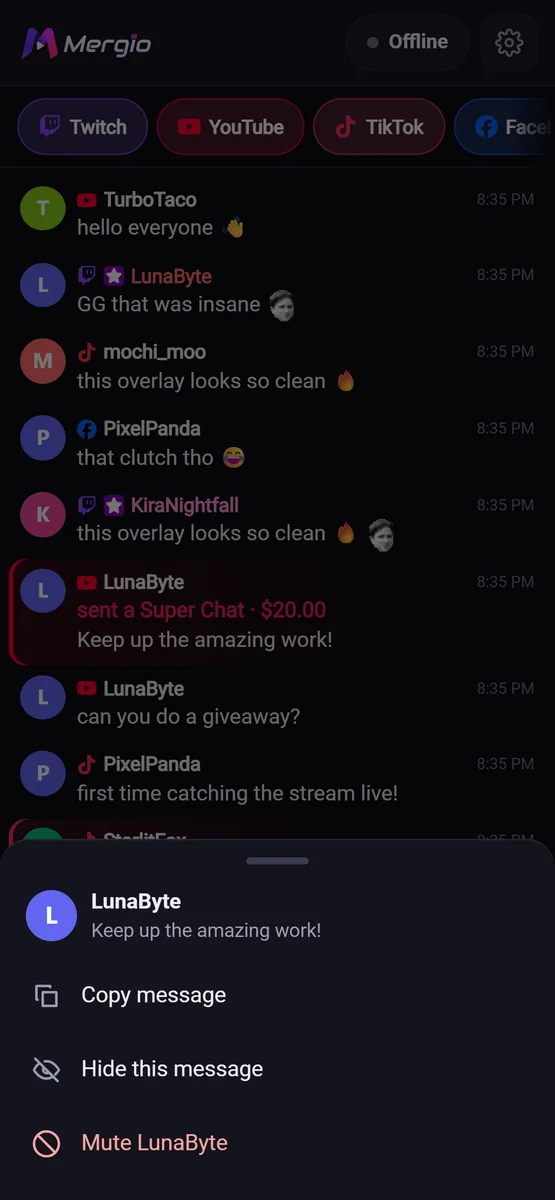
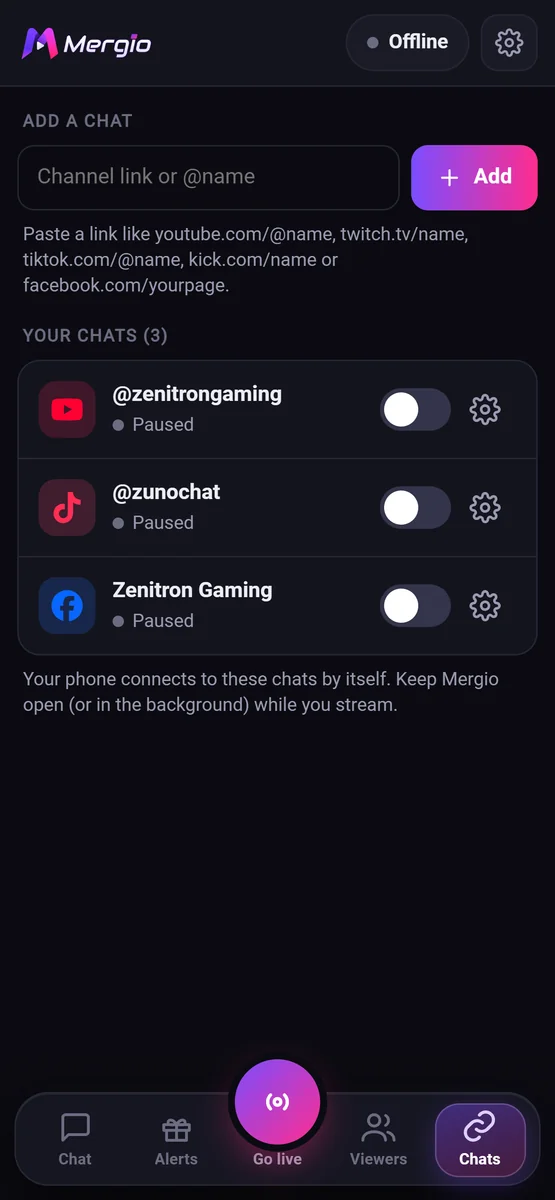
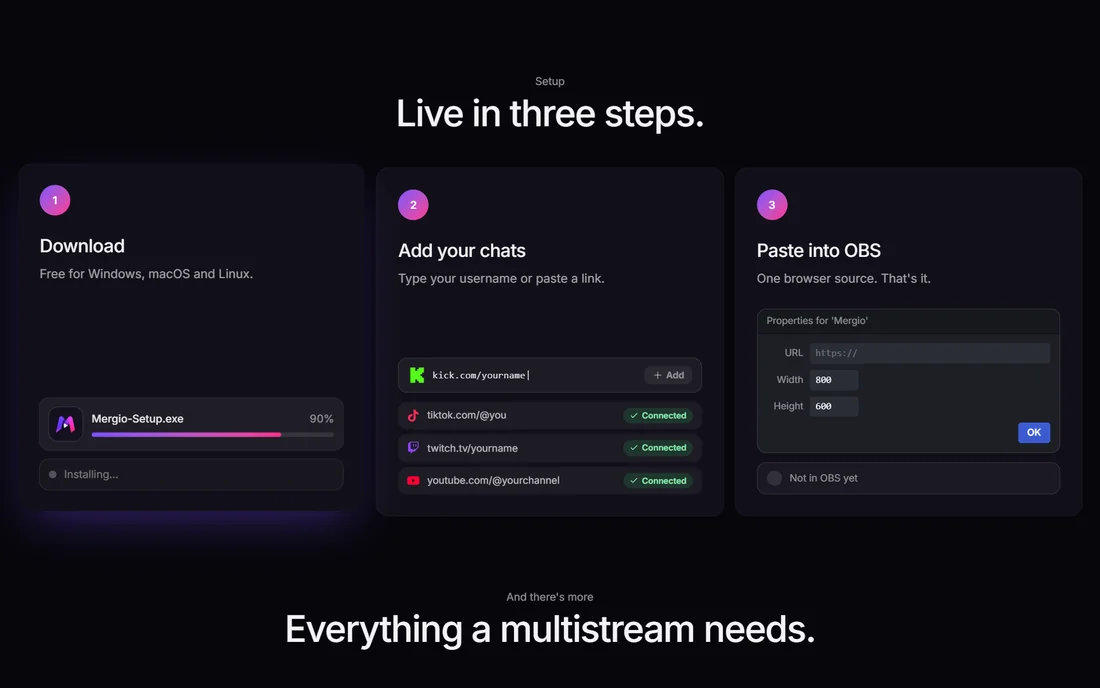
Add a channel by typing a username or pasting any link. Messages from all five platforms arrive in one list with each platform’s icon, badges, emotes, profile pictures and name colours. Pin a message to the top, or take one off the stream.
Fifteen game-style alerts
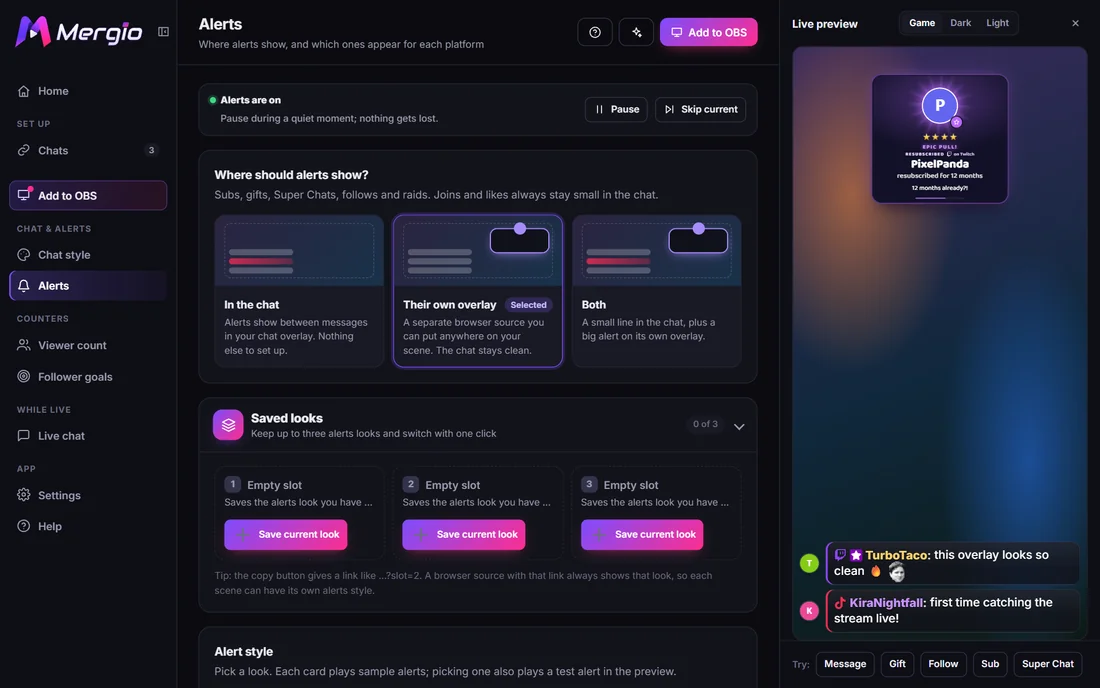
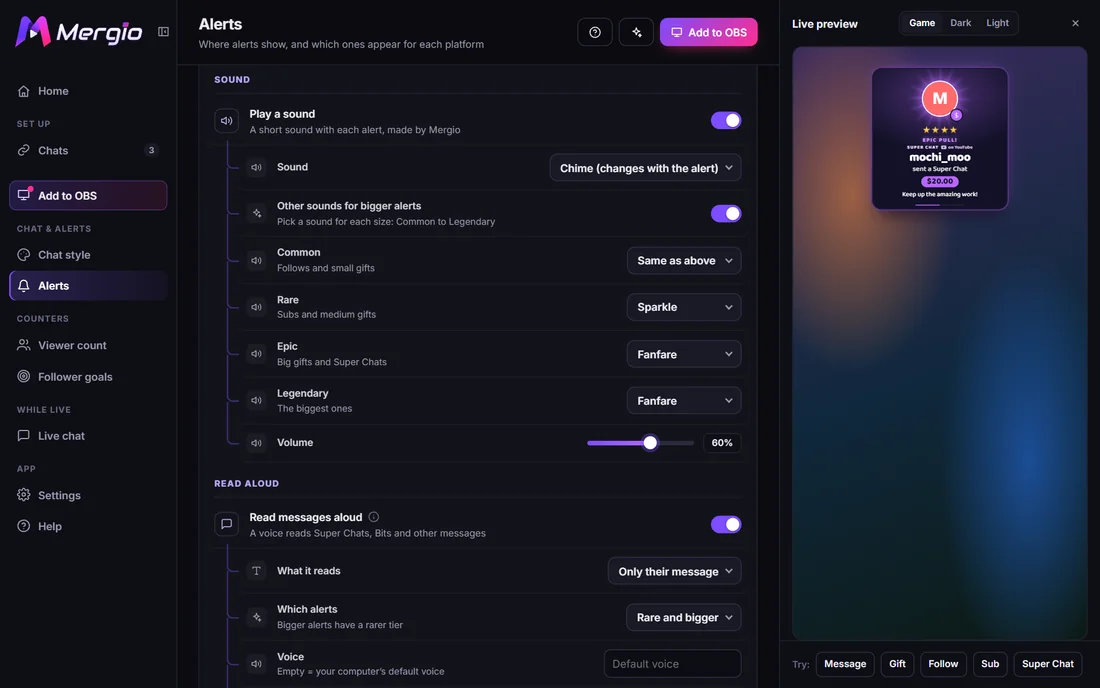
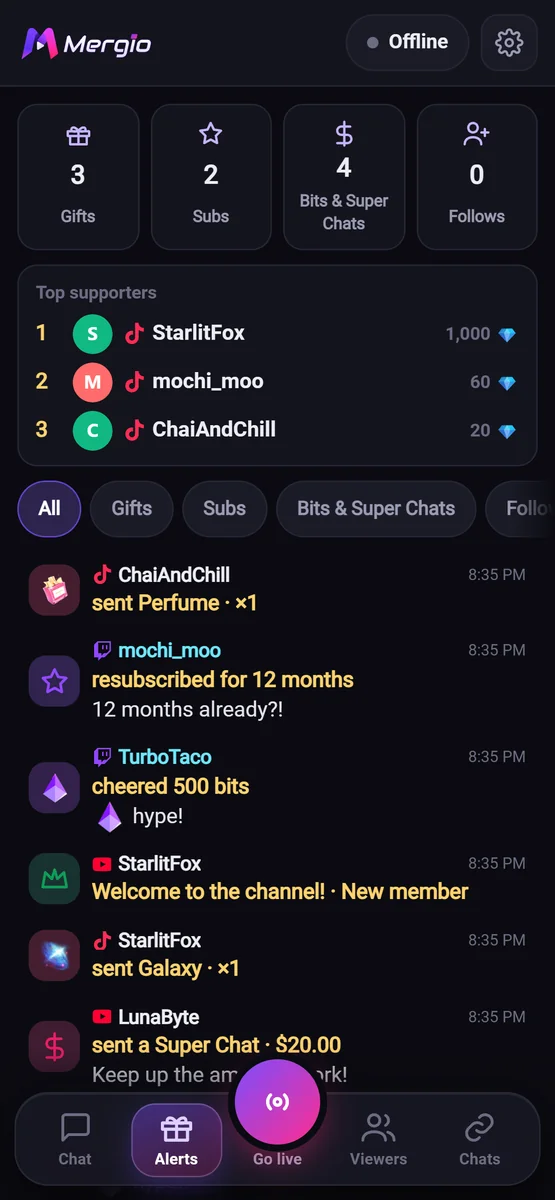
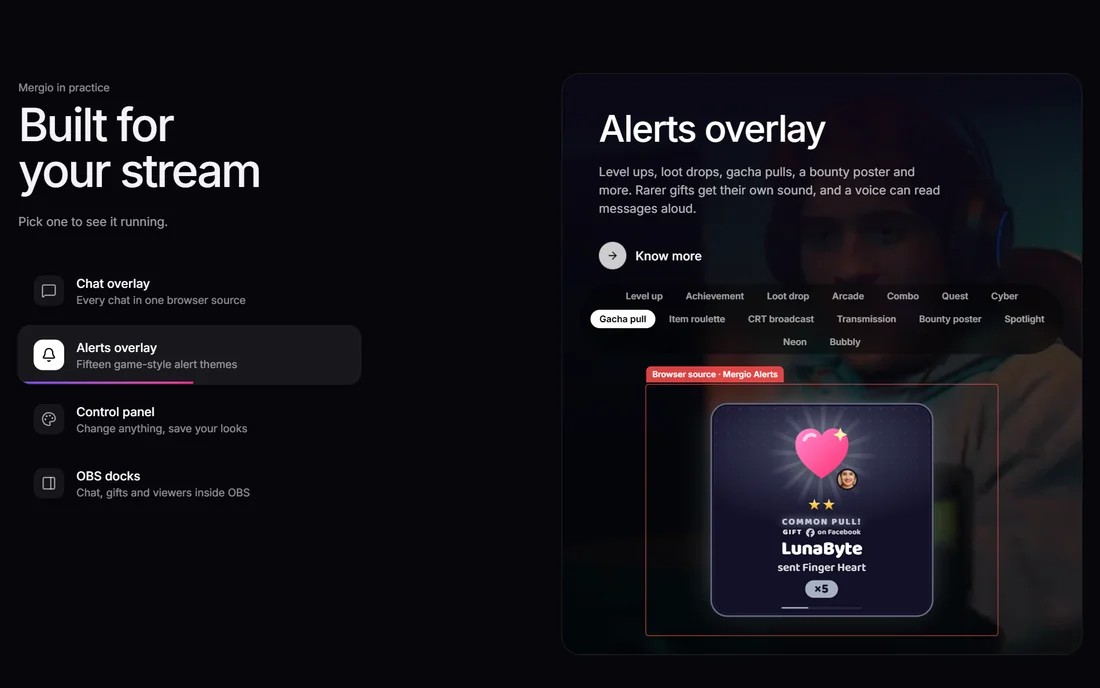
Level up, Loot drop, Arcade, Quest, Gacha pull, Item roulette, CRT broadcast, Bounty poster and more. Bigger gifts get a rarer tier from Common to Legendary, and alerts can be paused, skipped or spaced out so each one gets its moment.
Sounds and read aloud
Each tier can have its own sound, and a voice can read Super Chats, Bits and other messages from the alerts overlay so OBS records it with the alert. It uses the computer’s own voices, works offline and skips blocked words.
Saved looks and matching packs
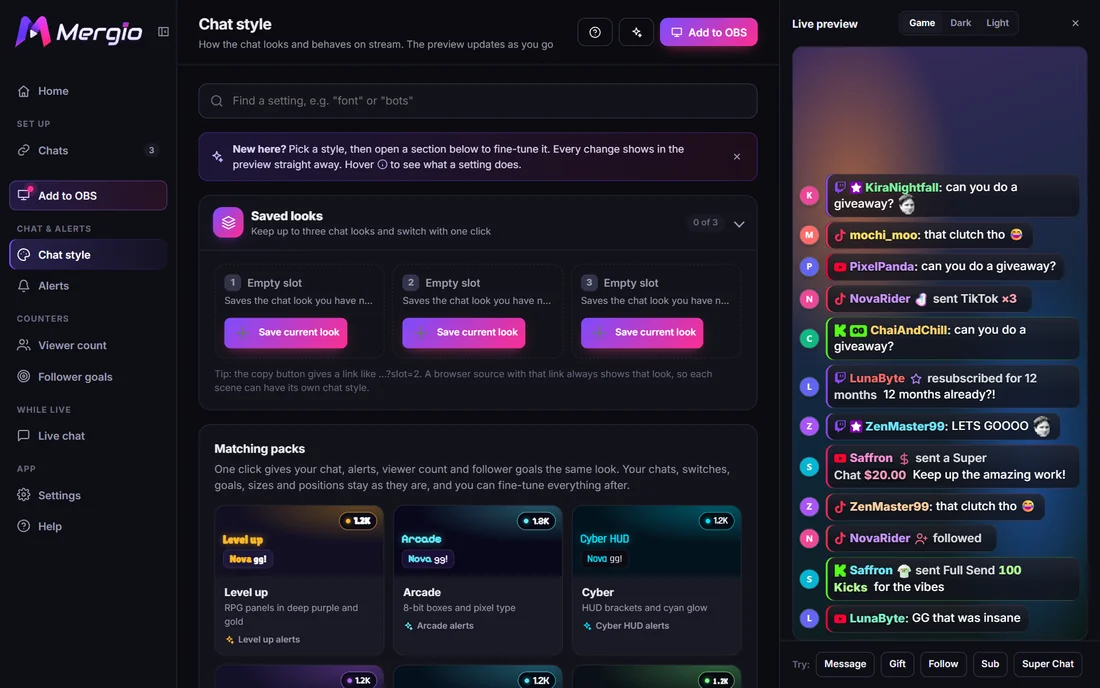
Six chat looks with live preview over a game, dark or light background. Every overlay keeps three saved looks you can switch in a click or give each scene its own, and ten matching packs give the chat, alerts and counters one look.
Inside OBS
Three OBS docks: the chat, gifts with the top supporters, and viewers with the peak. One button adds them to OBS, even while OBS is open: Mergio waits and adds them the moment OBS closes. A Live chat list with filters and search fits a narrow dock too.
Mergio on your phone
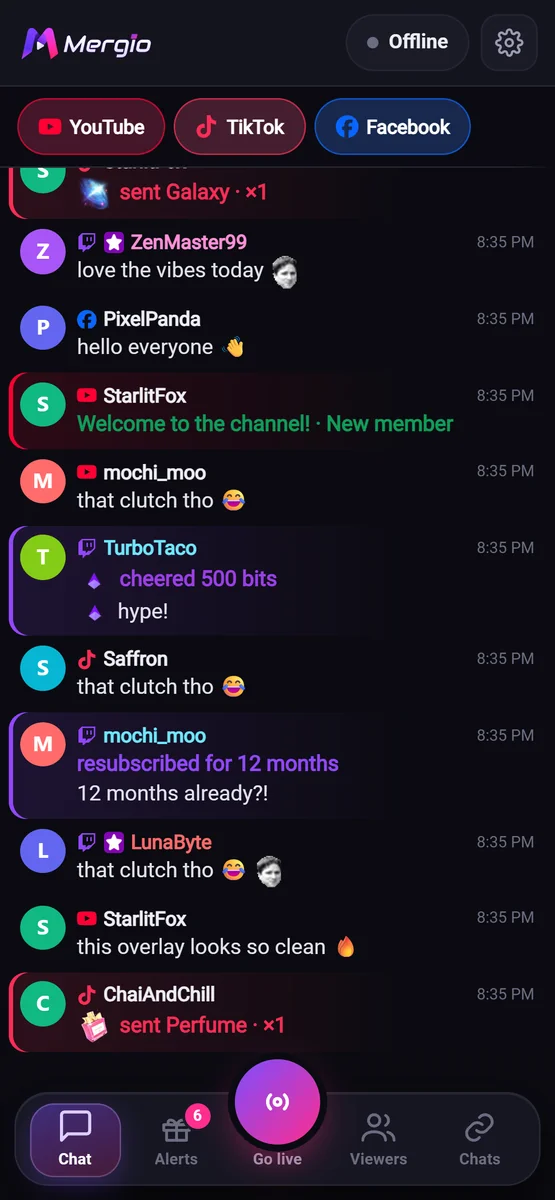
An Android app that runs Mergio on the phone itself, with no PC needed. Chat from every platform with the same filters, alerts with top supporters, viewer counts and channels, plus read aloud, a buzz for gifts and keep-the-screen-on. A floating bottom bar with a round Go live button, which turns red on air, keeps the go-live tools one tap away.
Go-live posts to Discord
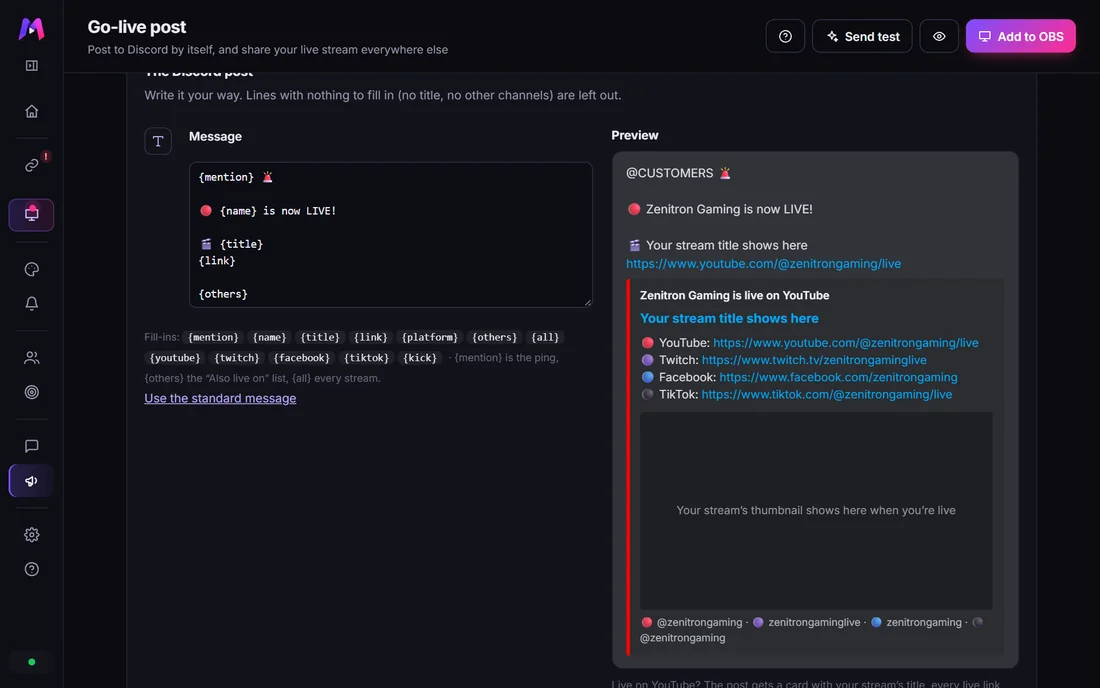
When the stream starts, the streamer’s own Discord bot posts the stream’s own link with a live card: the YouTube thumbnail, the title, every platform they’re live on and their channel names. Channels can be typed by name, ID or pasted link, and it pings the role they pick, once per stream, even with Mergio open on the PC and the phone.
A status picture for WhatsApp
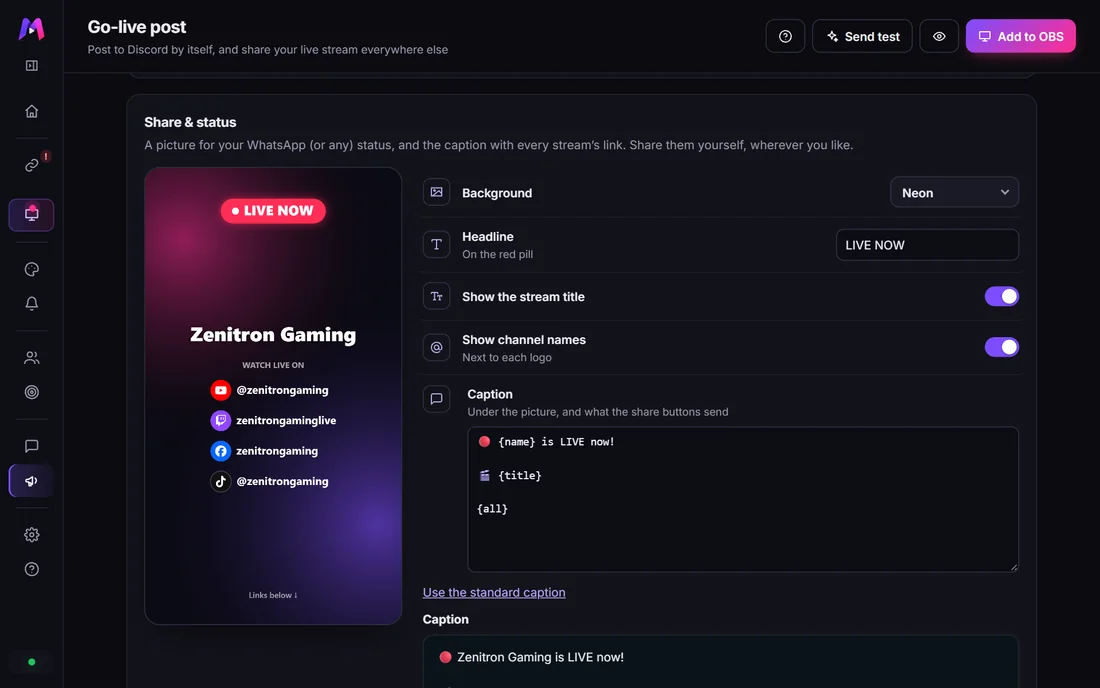
A 9:16 picture with the stream’s thumbnail, LIVE NOW, the name, the title and every channel, plus a caption with all the links. In the Android app, one tap opens WhatsApp’s status screen with both ready, and share buttons cover WhatsApp chats, Telegram, Facebook and X.
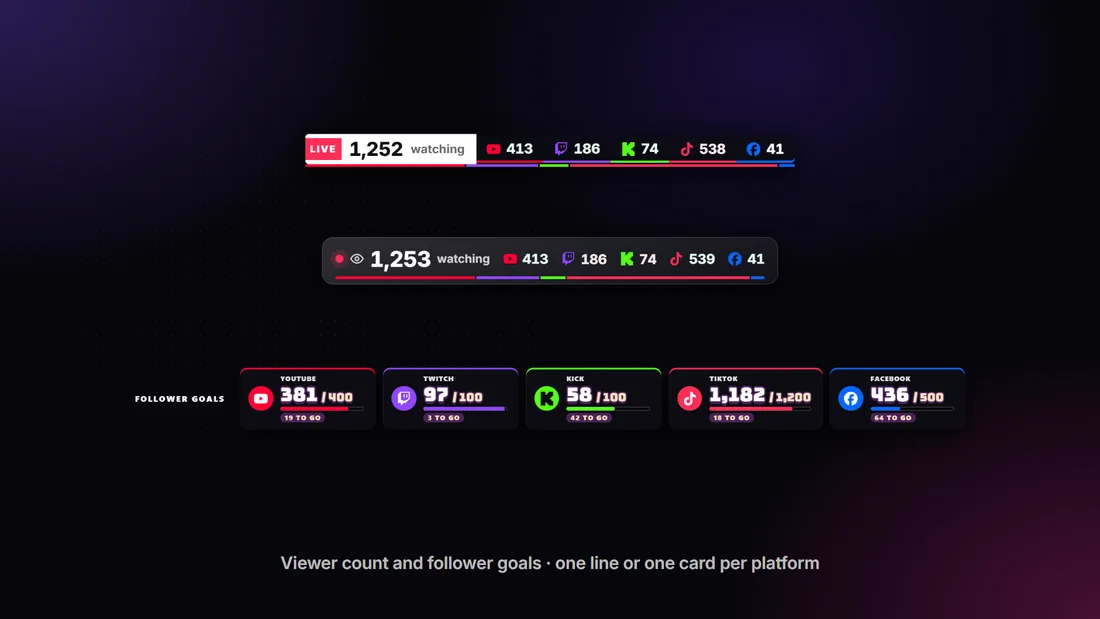
Viewer count and follower goals
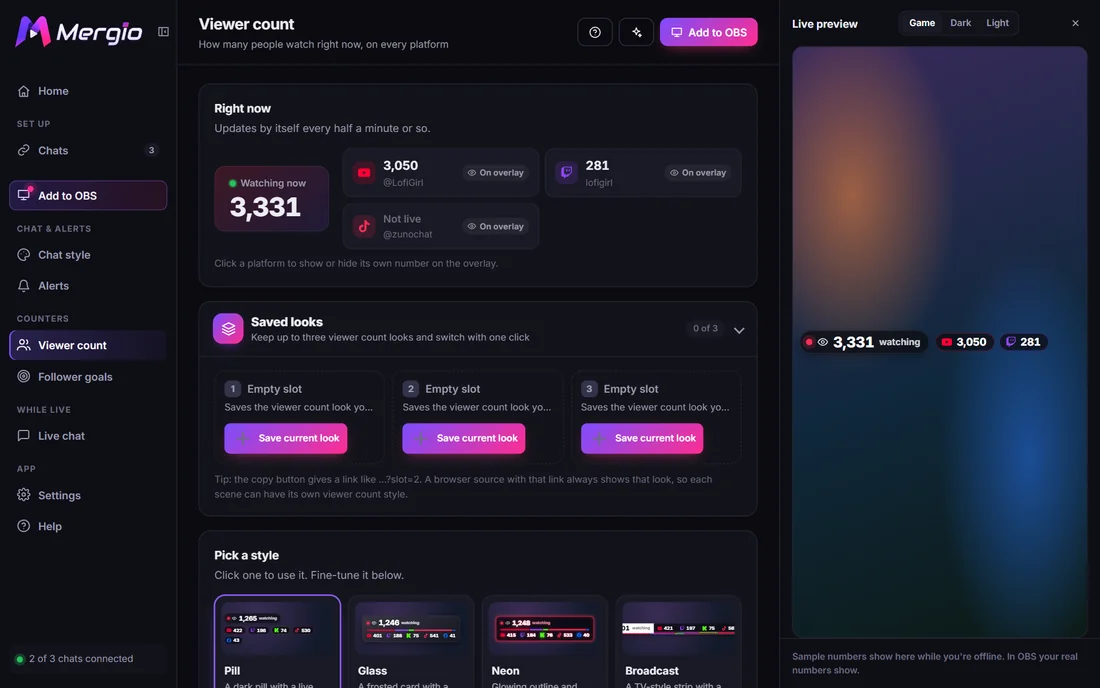
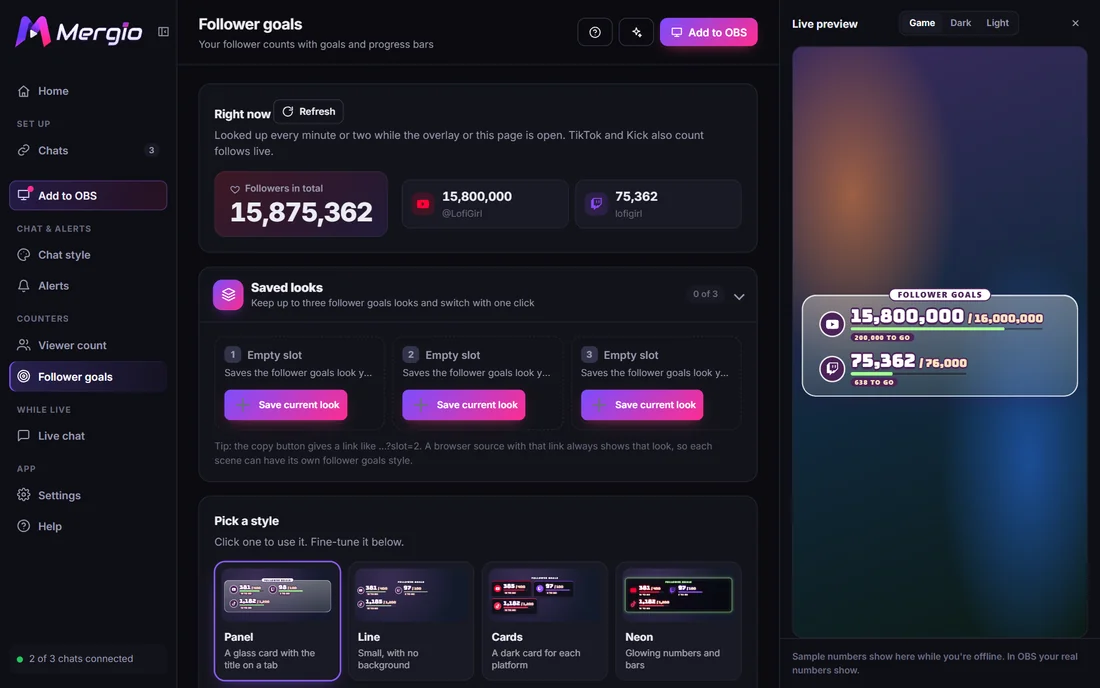
One number for everyone watching on every platform, with a breakdown per platform, plus follower goals with progress bars. You pick which platforms show, and the next goal appears by itself.
Every language looks right
Arabic and Hebrew keep their direction, default profile pictures use the first letter of any script, and alert names in joined scripts like Sinhala animate as whole words.
Updates itself
Mergio checks GitHub for new versions, installs them on Windows with one click after checking the download’s SHA-256, and shows what’s new after every update.
03Screenshots
Screens taken from the real product. Tap any of them to see it full size.
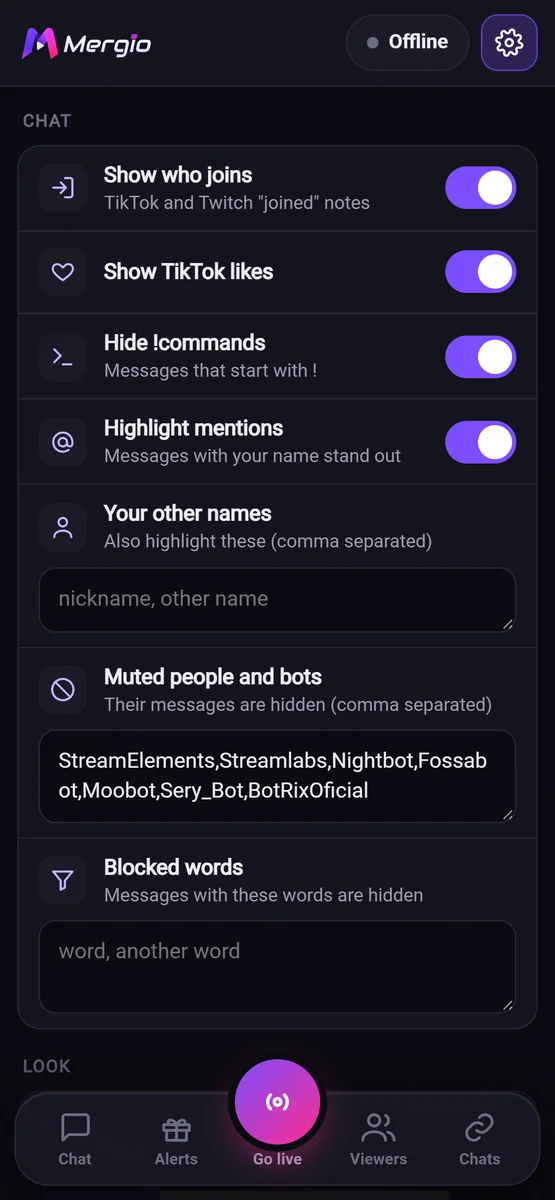
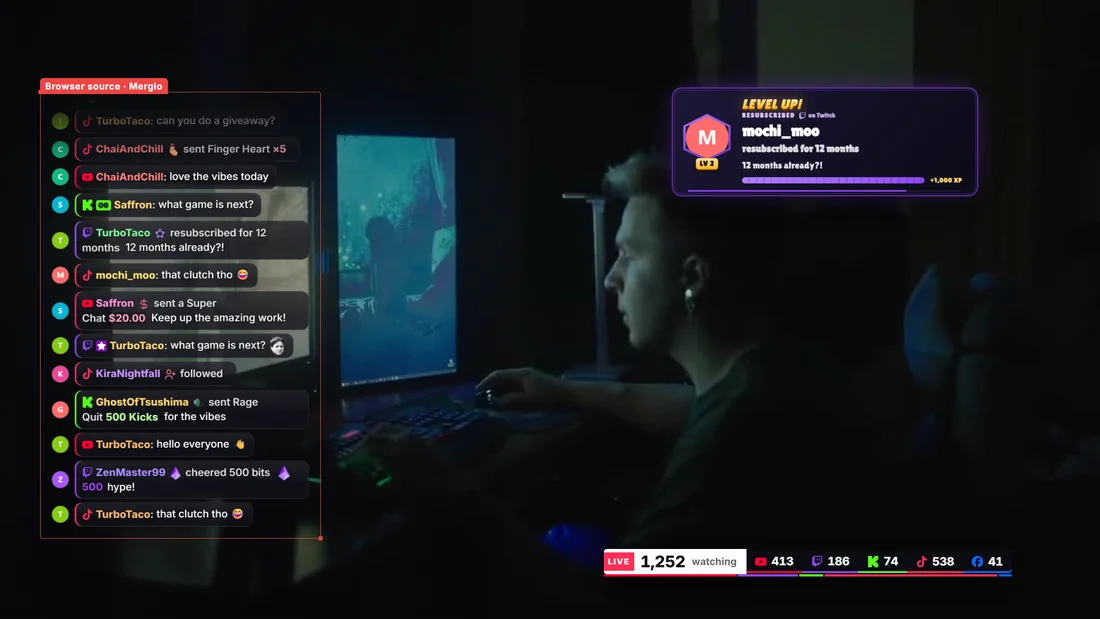
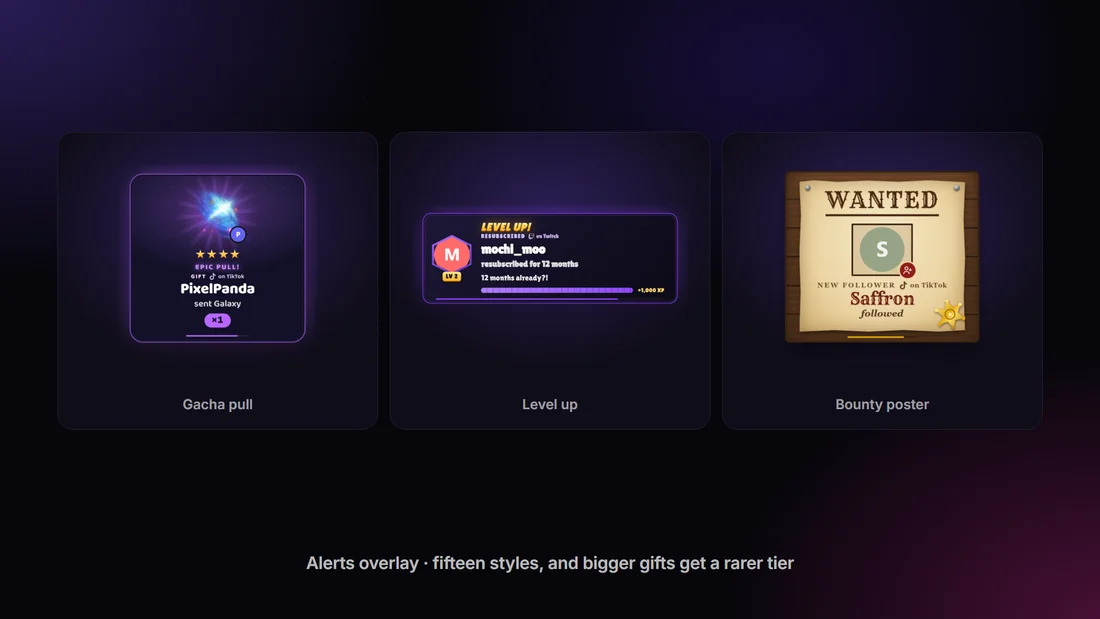
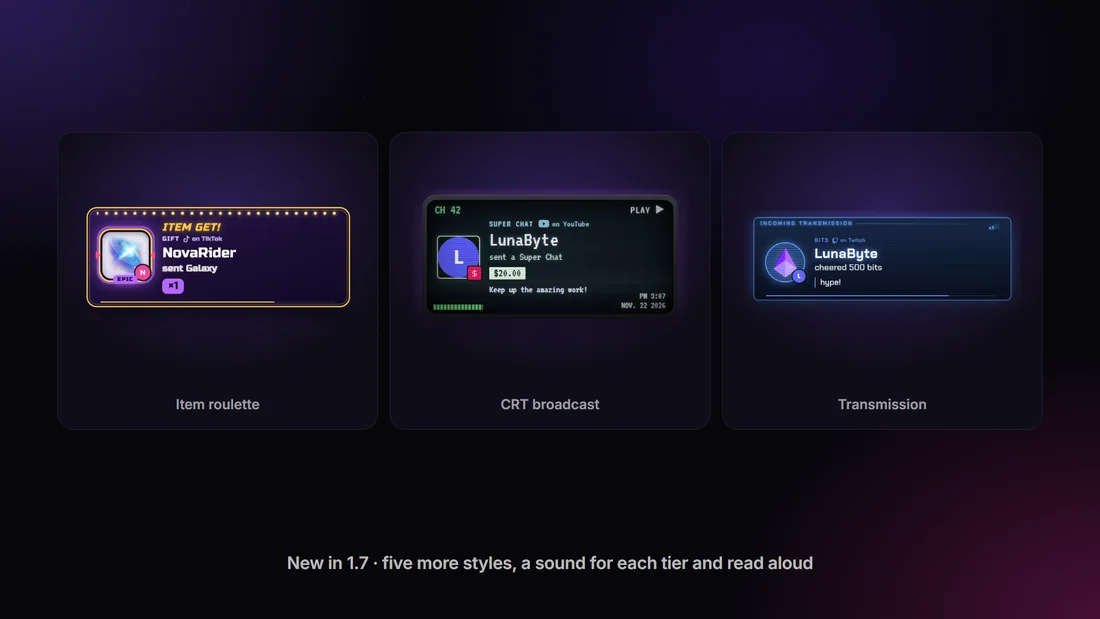
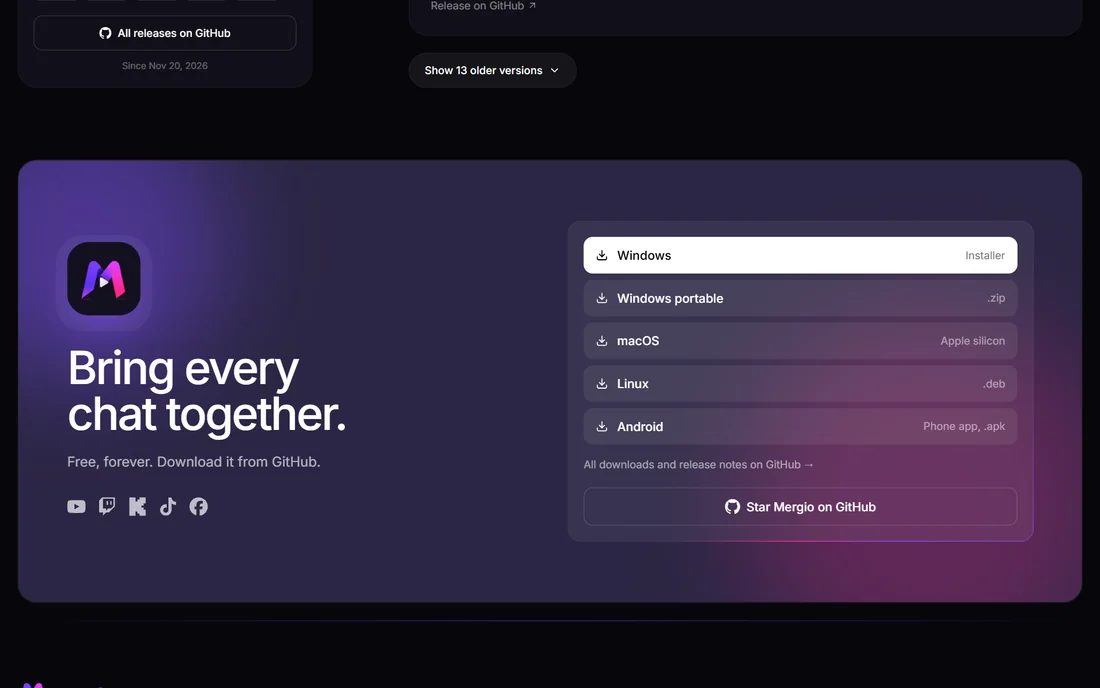
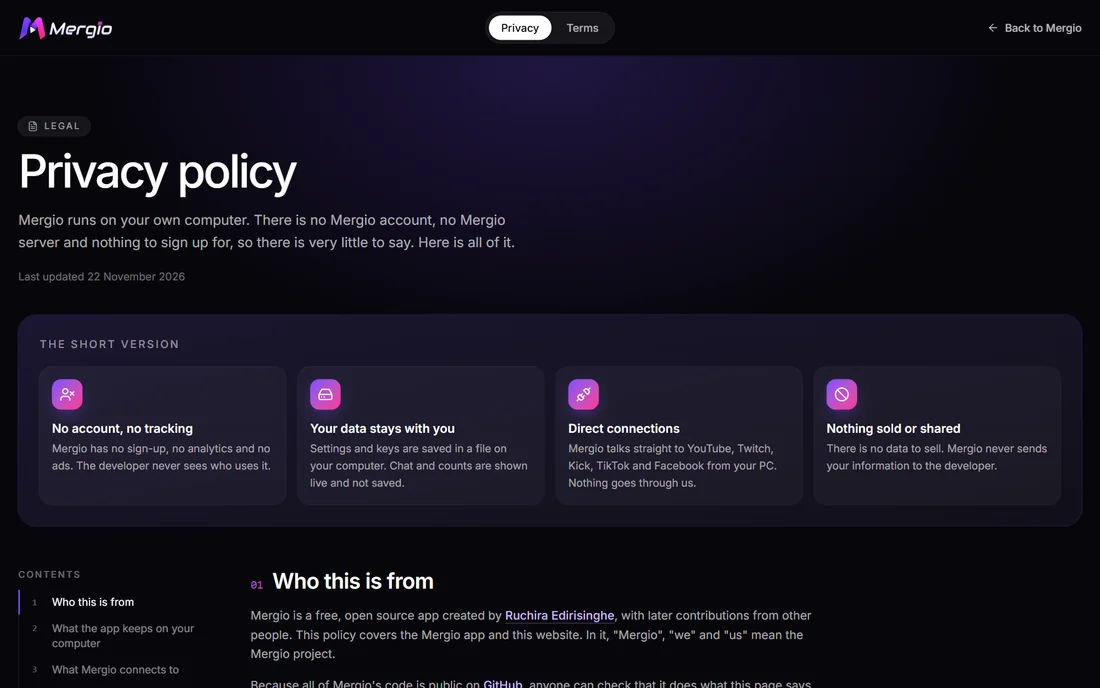
04Architecture
Mergio is a Node.js app packed into a single executable with Node’s Single Executable Applications feature. It runs a small web server on your own computer that serves the overlays, the OBS docks and the control panel, and keeps one live connection open to every chat you add. The overlays and the control panel are plain HTML, CSS and JavaScript with no framework, so they load instantly inside OBS.
One connector per platform
Each platform has its own connector on a shared base that handles connecting, reconnecting with backoff and status. Twitch chat is read as a guest, YouTube through its live chat feed, Kick through its realtime service, TikTok through a community library, and Facebook through the Graph API with your Page token.
One message shape
Every connector turns what it receives into the same message: platform, user, badges, text and emote parts, and an event for gifts, subs and raids. Everything after that, from styling and filters to alert tiers and read aloud, works the same for all five platforms.
Local server and WebSocket
The server listens on 127.0.0.1:8787 only. A WebSocket pushes messages, settings changes and counter updates to every open overlay, dock and the control panel, so a change in the panel shows on stream straight away.
Voices made on your PC
Read aloud uses the system’s own speech: Windows speech, say on macOS and espeak-ng on Linux. The voice is only made for an alert Mergio already showed, looked up by its id, and the audio is kept in memory while it plays.
Safe by design
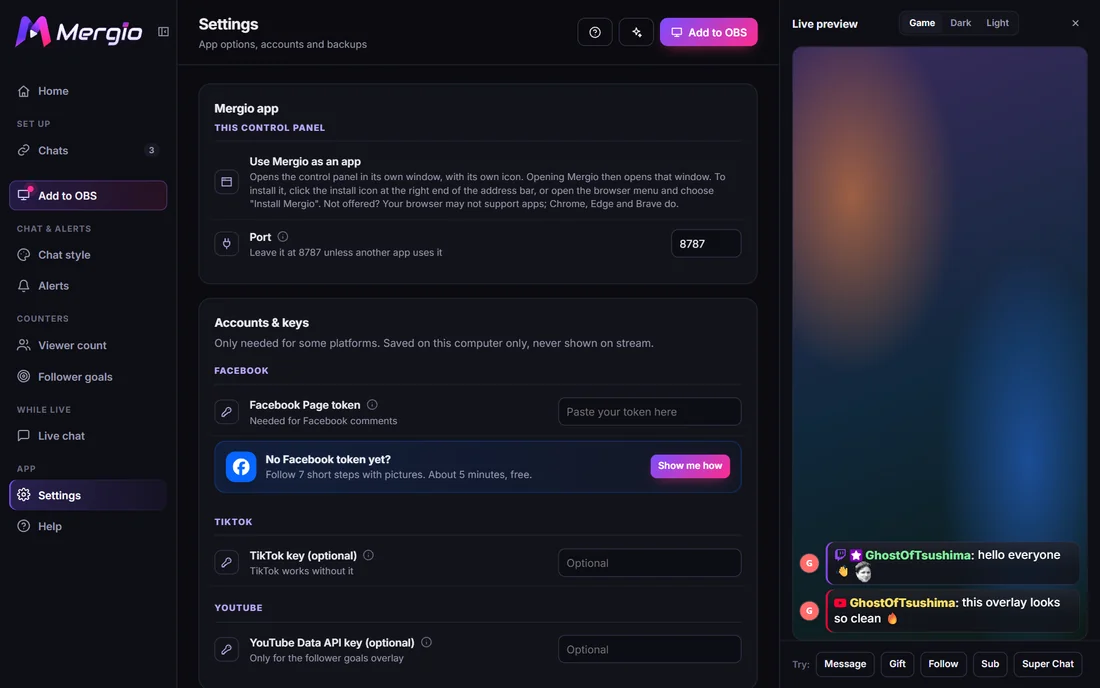
Only Mergio’s own pages can use the API and the WebSocket (Origin and Sec-Fetch-Site checks), requests must be addressed to localhost, every page has a strict Content Security Policy, saved keys never go back to the browser, tokens are removed from logs, and the data folder is locked to your user account.
The same Mergio on Android
The Android app embeds Node.js (nodejs-mobile) and runs Mergio’s own connectors, bundled with esbuild, inside a foreground service so the chats stay connected in the background. A WebView shows phone screens served on 127.0.0.1, and a small Java bridge adds the phone’s voice, vibration, keep-screen-on and sharing the status picture through a read-only content provider.
Discord by name or ID
The go-live post uses Discord’s REST API with the streamer’s own bot. It finds the server, channel and role by name, ID or channel link, sends its own embed with the biggest thumbnail YouTube has for the stream, limits the ping with allowed_mentions, retries when Discord is busy, and reads the channel’s recent messages first, so the PC and the phone never post the same stream twice.
Installers and releases
Pushing a version tag builds the Windows installer and portable zip, the macOS disk image, the Linux packages and the signed Android APKs on GitHub Actions and publishes them. The release notes become the in-app “What’s new” popup and the website’s Dev notes.
05Tech Stack
App
Android
Overlays & control panel
Website
Release & quality
06Release History
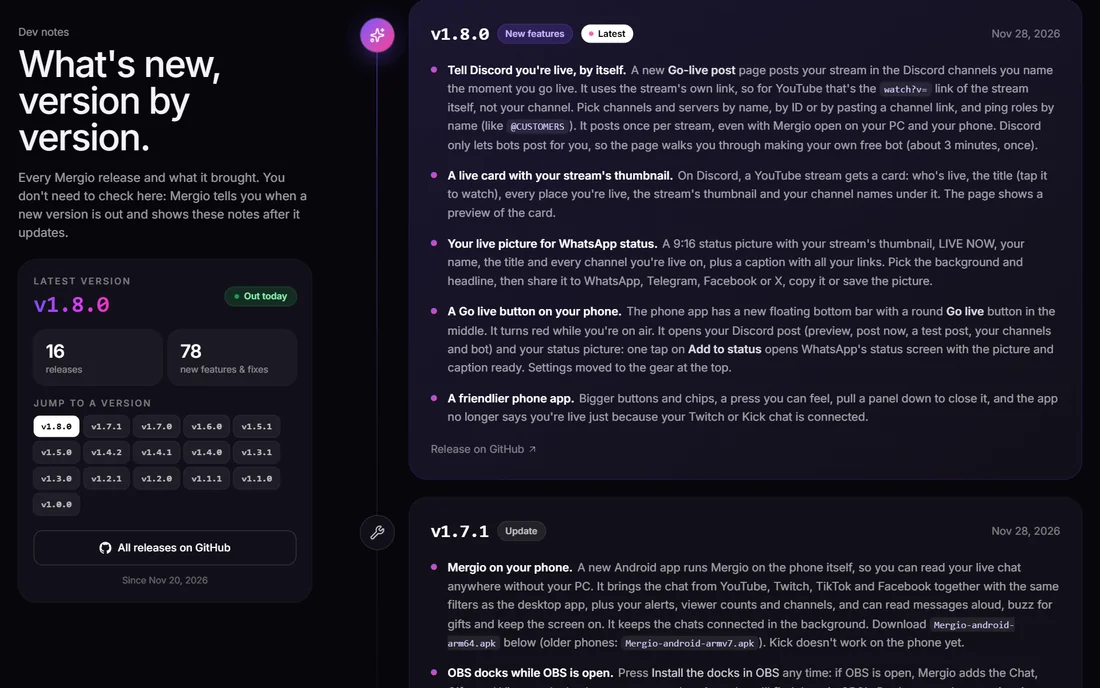
Sixteen releases in its first nine days, each with notes written for streamers. The same notes show up inside the app after an update and on the website’s Dev notes.
v1.0.0 · 20 Nov 2026
Every live chat in one overlay, a control panel to add chats and pick a style, and one small app with nothing else to install.
v1.1.0 · 20 Nov 2026
Installers for Windows, macOS and Linux, the final name and logo, a getting-started tour and a complete setup guide.
v1.2.0 · 20 Nov 2026
A separate alerts overlay, the real picture for every gift, profile pictures for everyone in chat, and a control panel you can install as an app.
v1.3.0 · 20 Nov 2026
Six alert styles, an optional alert chime, the name-on-top layout and friendlier settings.
v1.4.0 · 20 Nov 2026
Mergio updates itself, redesigned alert styles and a smoother control panel. v1.4.1 and v1.4.2 added the “What’s new” popup and a step-by-step Facebook guide.
v1.5.0 · 21 Nov 2026
The viewer count and follower goals overlays, support for every language, a control panel for every screen size, a new installer and a full security hardening pass.
v1.5.1 · 21 Nov 2026
Fixes from a full UI, UX, QA and security audit: 21 issues found, logged and closed, from Twitch reconnects to safer settings.
v1.6.0 · 22 Nov 2026
Ten game-style alert themes with rarity tiers, three OBS docks, three saved looks for every overlay, pinned messages, and pause and skip for alerts.
v1.7.0 · 22 Nov 2026
Five more alert styles (Gacha pull, Item roulette, CRT broadcast, Transmission and Bounty poster), read aloud, a sound for each tier, space between alerts and ten matching packs.
v1.7.1 · 28 Nov 2026
Mergio for Android, which runs on the phone with no PC needed, OBS docks that install themselves the moment OBS closes, and a tidier page bar in narrow windows and on phones.
v1.8.0 · 28 Nov 2026
Go-live posts to Discord by the streamer’s own bot, with a live card showing the stream’s thumbnail and every link, in channels picked by name, ID or link. Plus a status picture with every stream, and a reworked Android app with a floating bottom bar and a Go live button.
07Engineering Challenges
08Results & Learnings
- A free, open source app for Windows, macOS, Linux and Android that merges YouTube, Twitch, Kick, TikTok and Facebook chat into one OBS overlay, with fifteen game-style alerts, read aloud, OBS docks, a viewer count, follower goals and a go-live post to Discord.
- No account, no cloud and no telemetry. Everything runs on the streamer’s own PC with under 100 MB of memory, every setting stays in one file there, and the only connections go to the platforms themselves.
- Every pull request runs syntax checks, tests for the local server’s protections, CodeQL scanning, npm audit and dependency review, and a version tag builds and publishes every installer.
- A marketing site with live demos of every alert style, a Dev notes timeline built from the release notes, a plain-English privacy policy and terms, and prerendered pages with structured data and a link preview for search and sharing.
What I learned
- A product for streamers is judged on stream. Designing against a live preview over a game background, instead of a blank page, kept the overlay readable where it’s actually seen.
- Normalising five very different platforms into one message shape early made every later feature, from alerts to filters to counters, a single piece of work instead of five.
- A local server is still a server. Thinking about which website could reach it, and testing those cases, changed the design far more than adding checks at the end would have.
- Major upgrades are visual changes too. Comparing full-page screenshots before and after moving the site to Tailwind 4 caught line-height changes that no build error would show.
- Release notes written for users do double duty: the same text powers the in-app “What’s new” popup and the website’s Dev notes.
- Screens built for a mouse don’t become phone screens by shrinking. Moving the most-used action into a raised button in the middle of the bottom bar, and sizing every control for a thumb, did more for the Android app than any new feature.
- Reusing the real engine beats rewriting it. Running Mergio’s own Node code on the phone meant the Android app got every platform and filter on day one, and the work went into the parts that differ, like missing Unicode data and staying alive in the background.